
How to Use SoloLink®
This app is for your protection when you work, when you’re travelling, when you’re isolated, when you’re under the Health & Safety protection of your employer.
If you need help, we know where you are, we can try to reach you and we can mobilise whatever resources we can to help you.
So if you do find yourself in a tight spot, tell the angel on your shoulder: SoloLink®.
We call this “raising a PANIC” and yes, we know you’re probably not panicking and are calmly dealing with the situation, but your health and wellbeing are paramount, SoloLink® is a tool to ensure this.
USE SOLOLINK® WHENEVER YOU’RE AT WORK.
The app runs in the background on your phone, if you don’t close it and it’s possibly the simplest app you’ll have on your phone.
To begin your shift
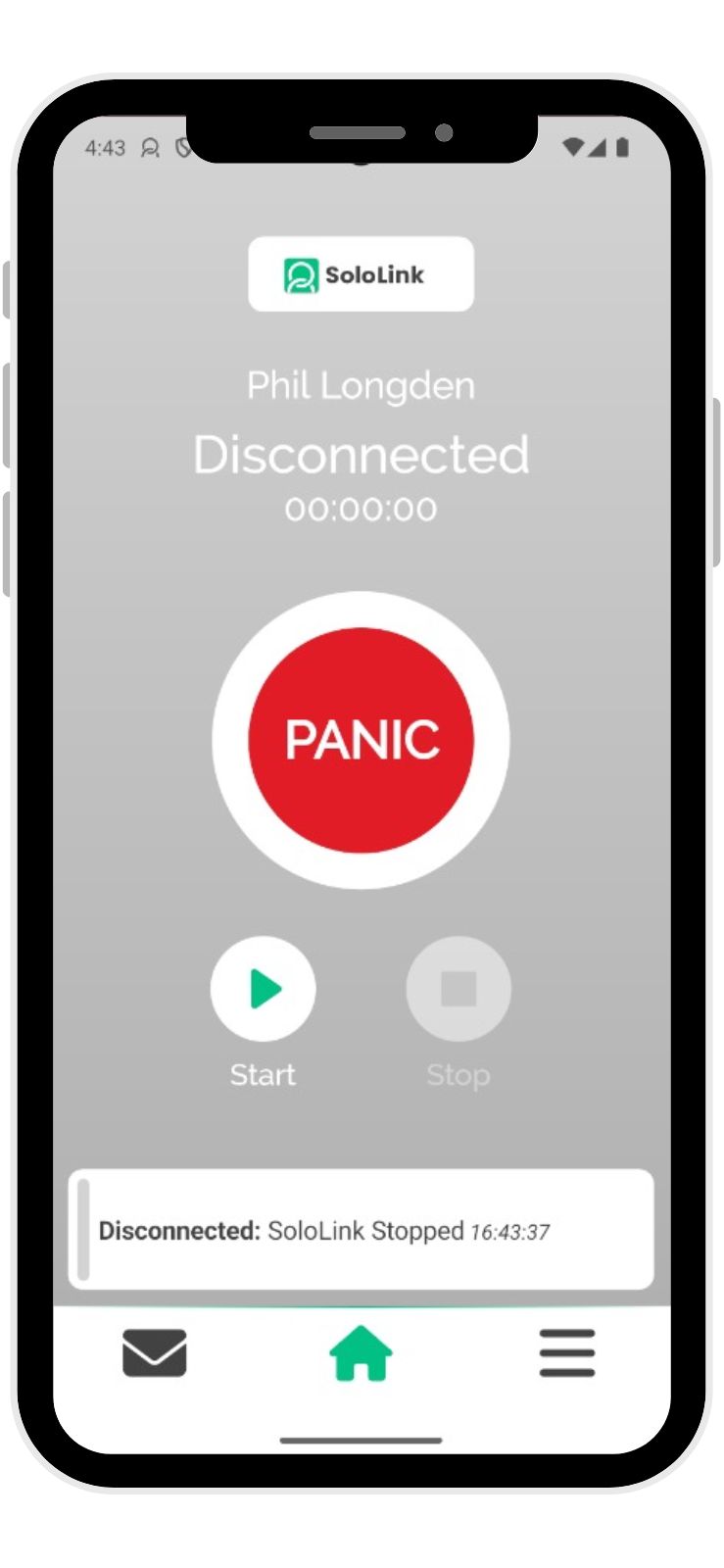
- Open SoloLink® with a single tap. The screen will be grey.
- Tap START to activate the app.
During your shift
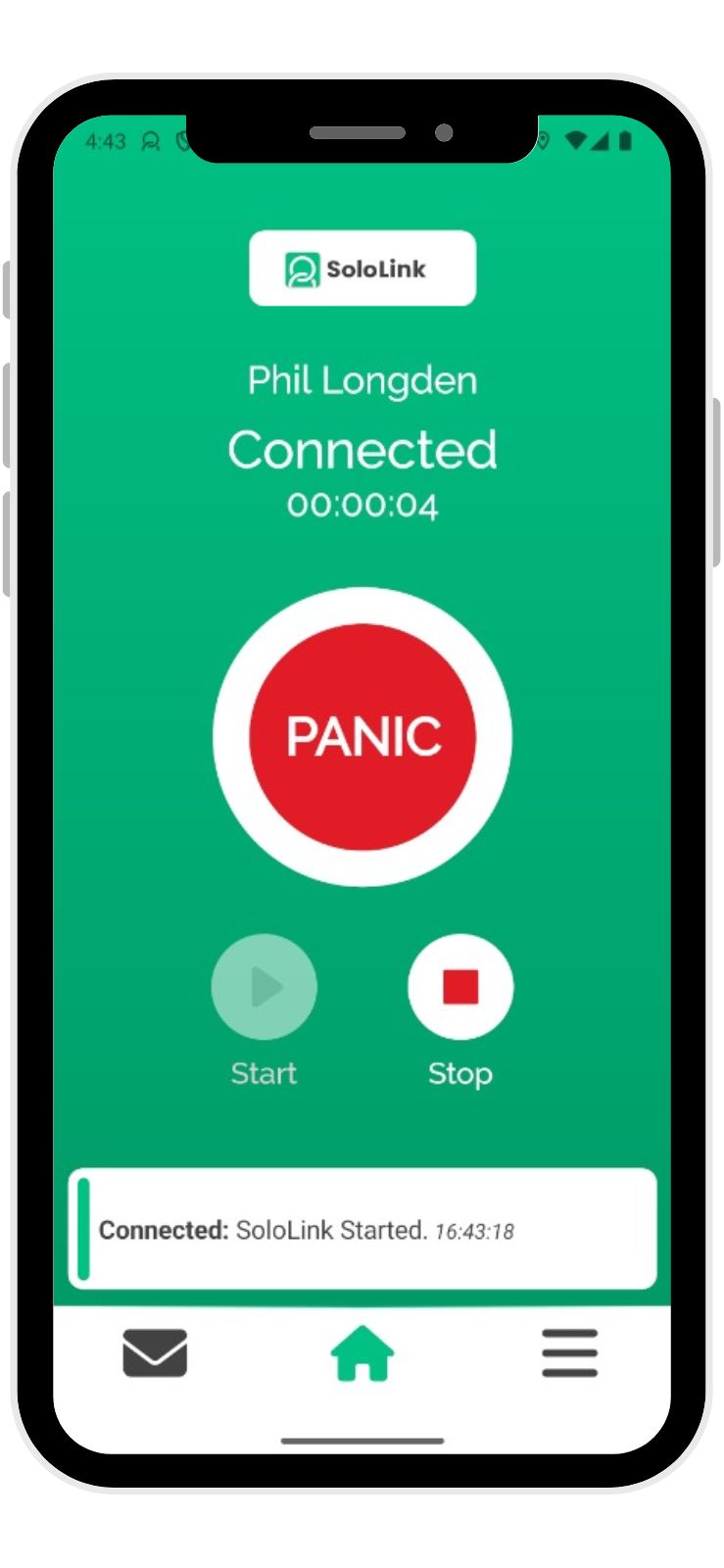
- Confirm that the details you can see are your emergency contact for today.
- SoloLink® will go green.
- Swipe the app into the background of your phone so that it’s still running.
That’s it.
Now, of course, if you have a different Emergency Contact for today, select that person from your phone’s contact list and confirm them instead.
To end your shift
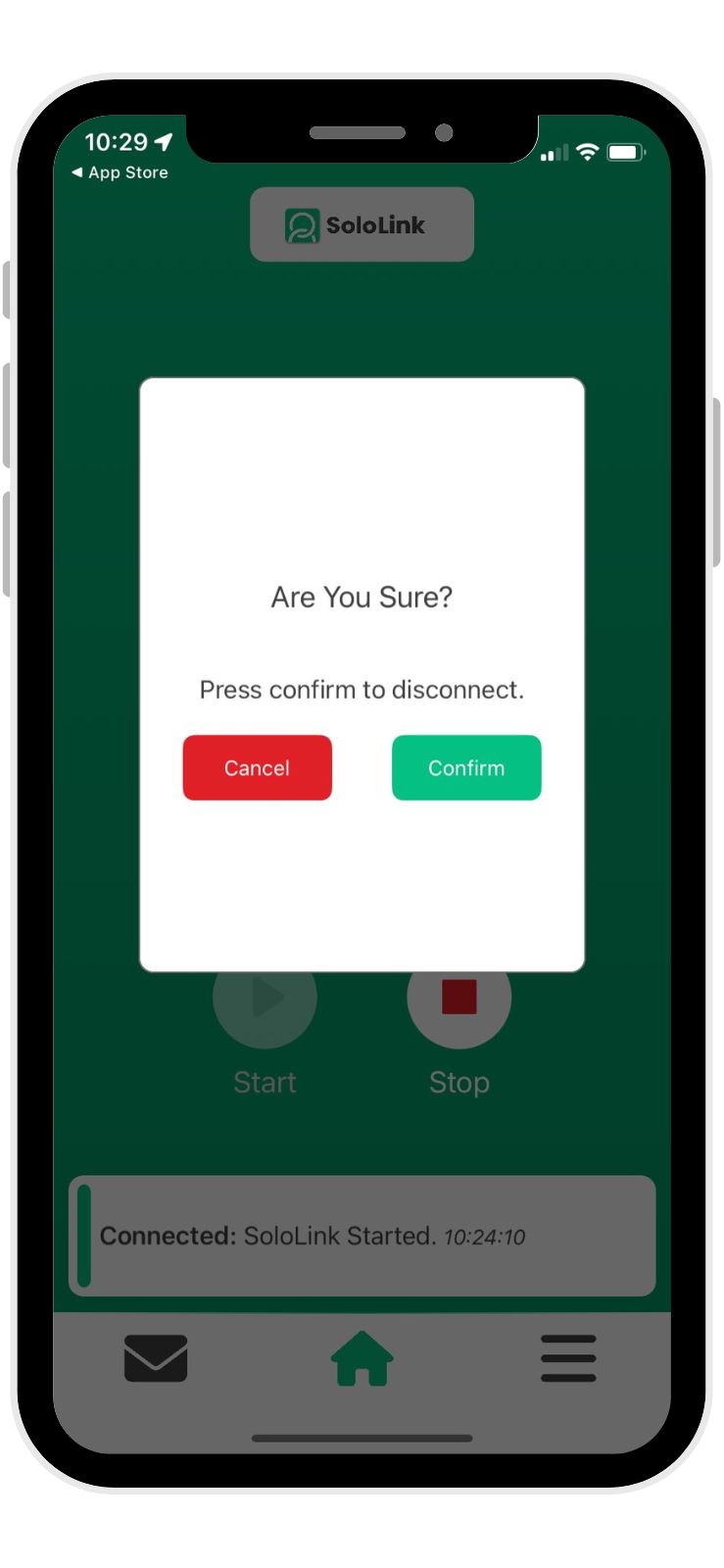
If nothing happens during the time you’ve the app running, you need only reopen the sleeping app and tap STOP to end your coverage. The app will prompt you to confirm this.
WHAT TO DO IF YOU NEED HELP
MANUAL PANIC
You may not always be able to reach your phone to raise a PANIC, but SoloLink® has thought long and hard about this to ensure your safety.
Raising a manual PANIC is easy and is quickly managed or stopped if things turn out to be fine. But things sometimes are NOT fine.
- Reopen the sleeping app.
- Press PANIC and hold for 3 seconds.
- Your SoloLink screen will go RED.
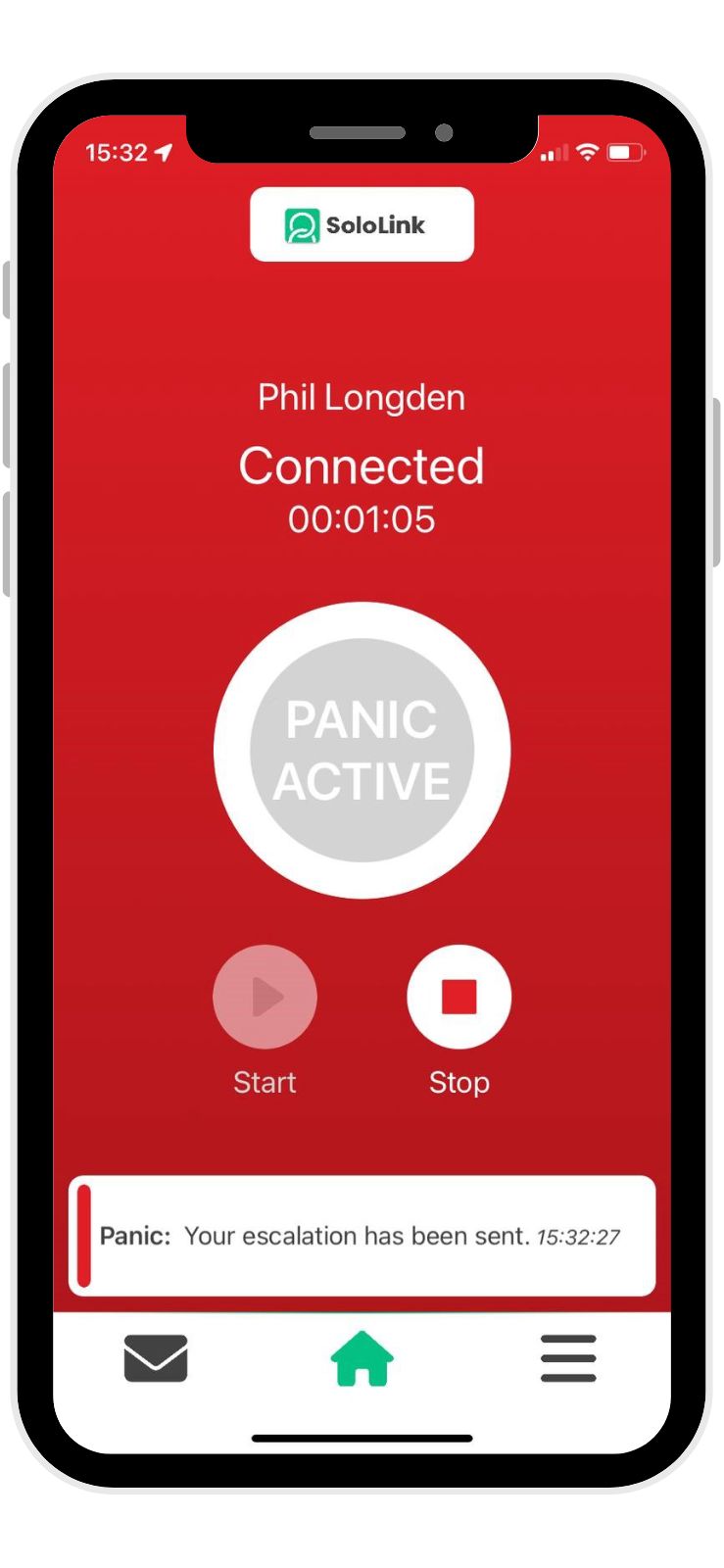
Once PANIC is activated, your location is being shared with SoloLink® Control every ten seconds and any active PANIC causes an immediate screen alarm to sound and flash in the control room. If you watch your phone’s SoloLink® app, you will see that Control acknowledges your PANIC and they’ll call you straightaway.
If you’re able to answer their call, be clear about what’s happening. Our Control staff are highly trained in handling most types of situations that you’ll encounter and will handle matters appropriately. We’re here to help.
But if – for whatever reason – you cannot answer, then escalation processes begin.
- Escalation contact will be called.
- Escalation processes to reach you will be determined by your employer but will include further phone calls and physical visit (if possible). Your emergency contact will be in ongoing contact with SoloLink® Control.
- If your Emergency Contact is not available – or is unable to reach you by phone or in person – SoloLink® Control will use your location to find your nearest active SoloLink user colleague to mobilise them to your location.
Often, your employer may require this to be directly to 999 emergency services and this is the default Control action if there isn’t someone nearby to assist.
AUTOMATIC PANIC
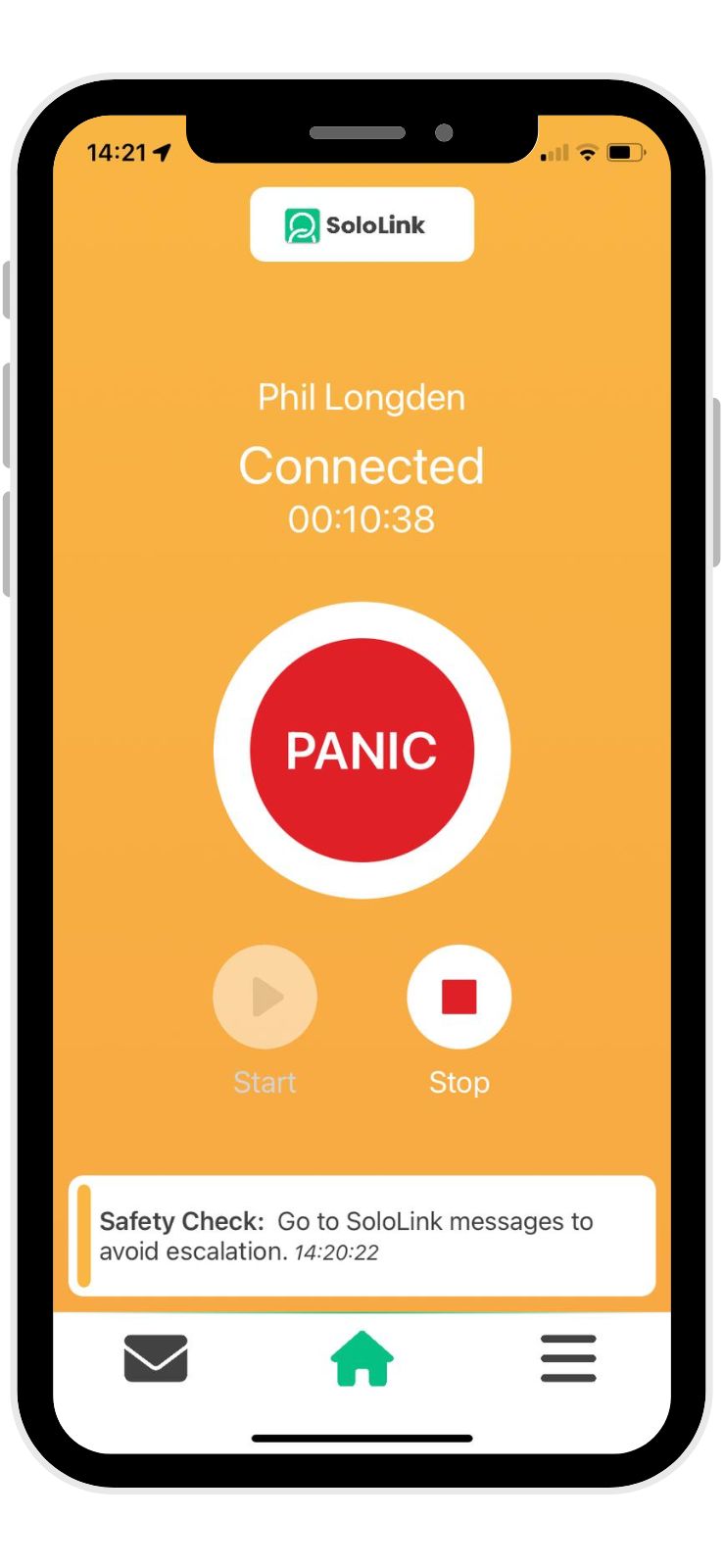
If SoloLink® identifies that you haven’t moved more than 20m from your current location in 45 minutes, it begins to question your safety. The screen will go yellow, and you’ll receive an in-app safety check notification.
If all is well, tap on the red message and the screen will return to green. However, if you do not respond to the notification a second one will be sent, 10 minutes later.
No response to this and a final notification is sent after a further 5 minutes. Without a response an automatic PANIC is raised and treated in the same way as a manual PANIC, as described above.